
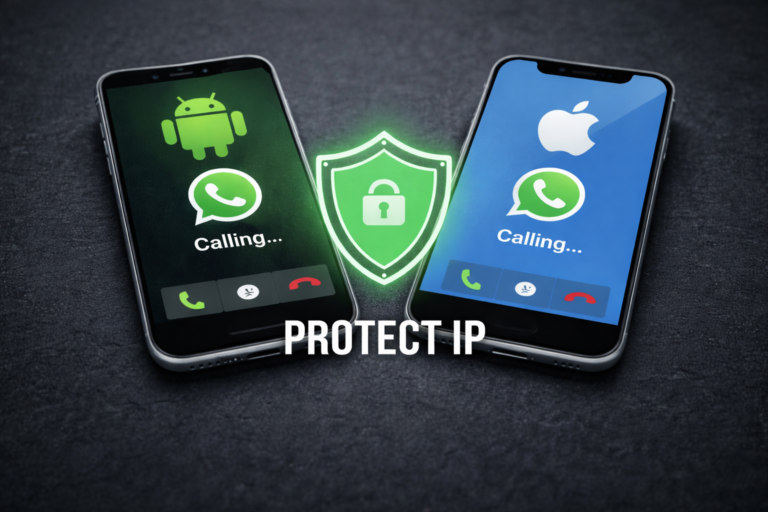


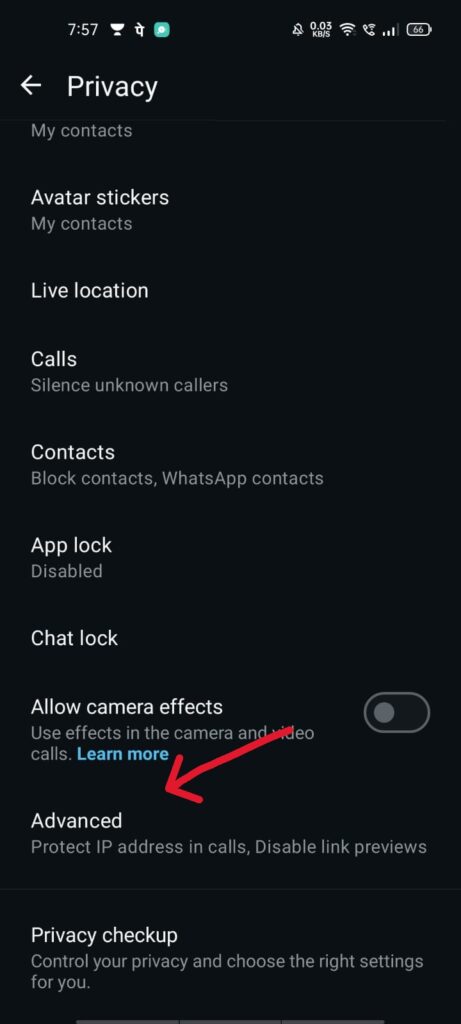
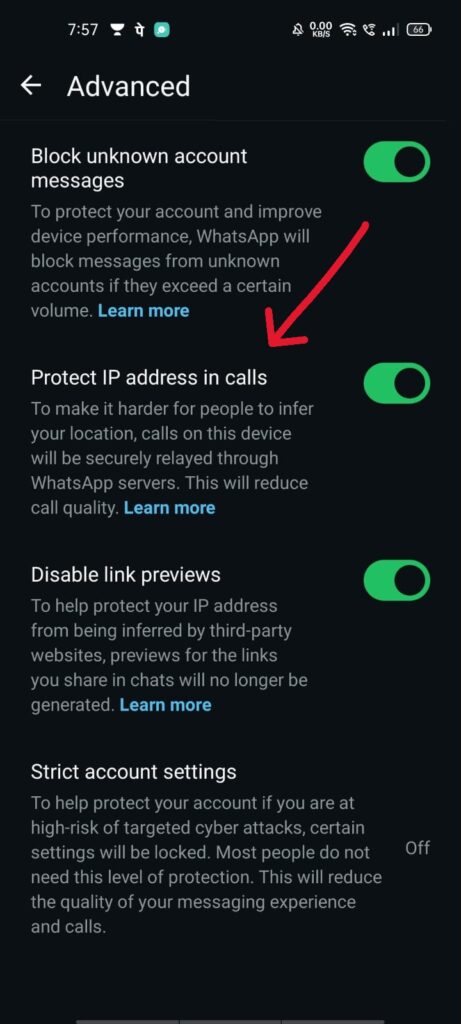

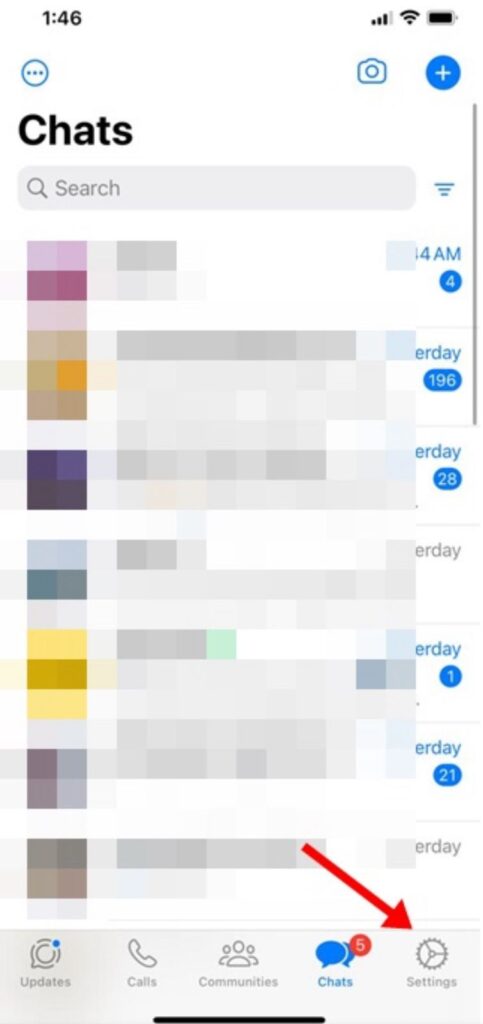

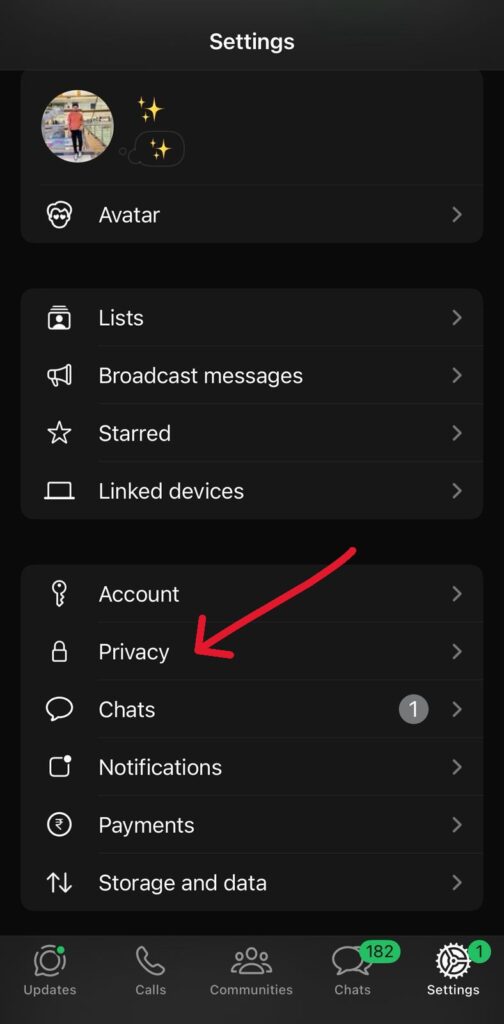
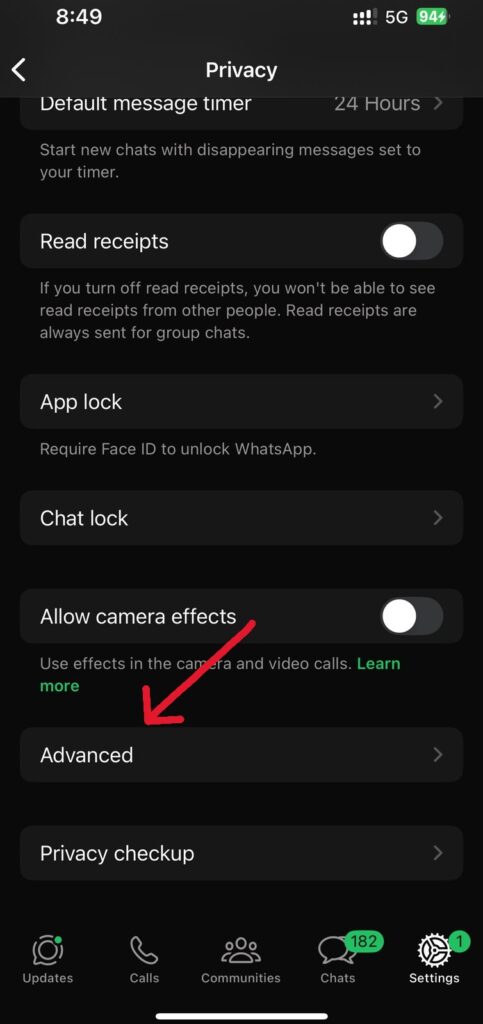

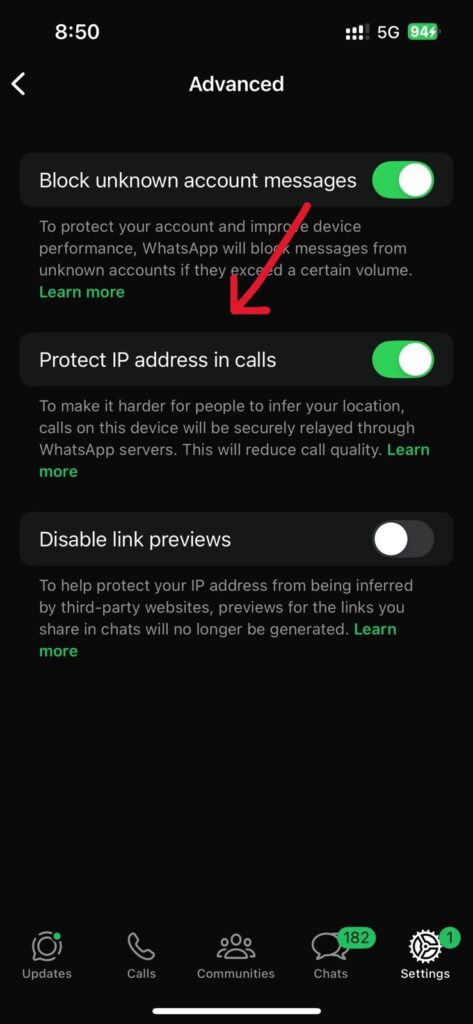

By default, WhatsApp calls may connect directly, which can expose your IP address. Enabling WhatsApp call IP address protection prevents this by routing calls through WhatsApp servers.

Yes, it’s a built-in WhatsApp privacy feature designed to improve security. It may slightly affect call quality, but it greatly enhances privacy.
Yes. WhatsApp now offers a native option to hide IP address on WhatsApp calls, so a VPN is not required.
Absolutely. You can protect IP address on WhatsApp on both Android and iPhone using the Advanced Privacy settings.
In some cases, call quality may be slightly reduced because calls are routed through WhatsApp servers, but the privacy benefits usually outweigh this minor drawback.
Knowing how to protect IP address on WhatsApp calls is essential for anyone who values online privacy. Whether you’re on Android or iPhone, enabling this feature takes just a few seconds and adds an important security layer to your WhatsApp calls.
If you need help with more WhatsApp privacy tips or security guides, feel free to ask