How to Protect IP Address on WhatsApp Calls (Android & iPhone)

How to Protect IP Address on WhatsApp Calls (Android & iPhone)

WhatsApp calls are already secured with end-to-end encryption, which keeps your conversations private. However, many users don’t realize that adding IP address protection during calls can further improve privacy. When enabled, this feature helps prevent your real IP address from being shared with the person you’re calling.

If you’re concerned about online privacy, learning how to protect IP address on WhatsApp calls is a smart move—especially when making calls with unknown contacts.

How to protect IP address on WhatsApp calls for Android and iPhone

How WhatsApp Call IP Address Protection Works

The WhatsApp call IP address protection feature works by routing your calls through WhatsApp’s secure servers. Instead of connecting calls directly between two users, WhatsApp acts as a middle layer. This helps hide your IP address on WhatsApp calls, reducing the chances of exposing your location or network details.

How to Protect IP Address on WhatsApp Calls (Android)

If you’re using an Android phone, follow these simple steps to protect IP address on WhatsApp:

     1. Open the WhatsApp app on your Android device.

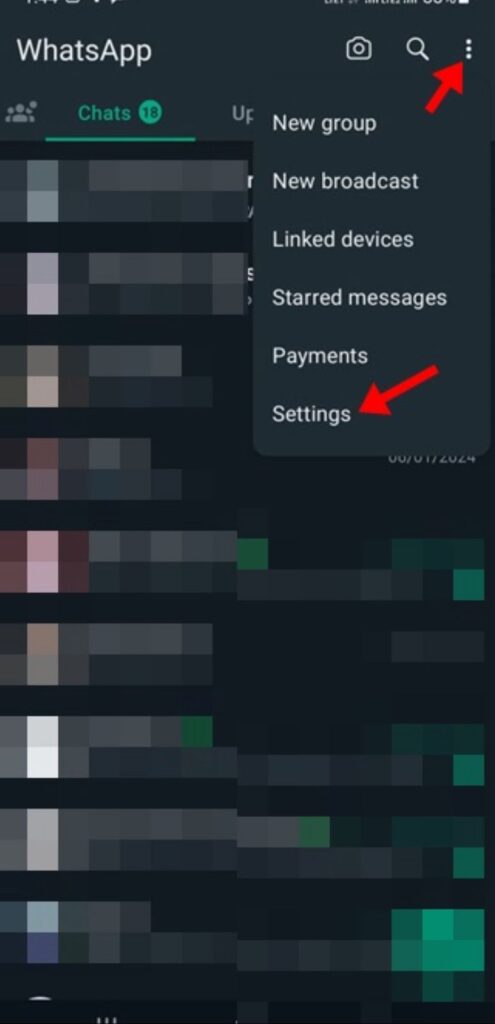
     2. Tap the three-dot menu in the top-right corner.

     3. Select Settings from the menu.

Hide IP address on WhatsApp calls using privacy settings

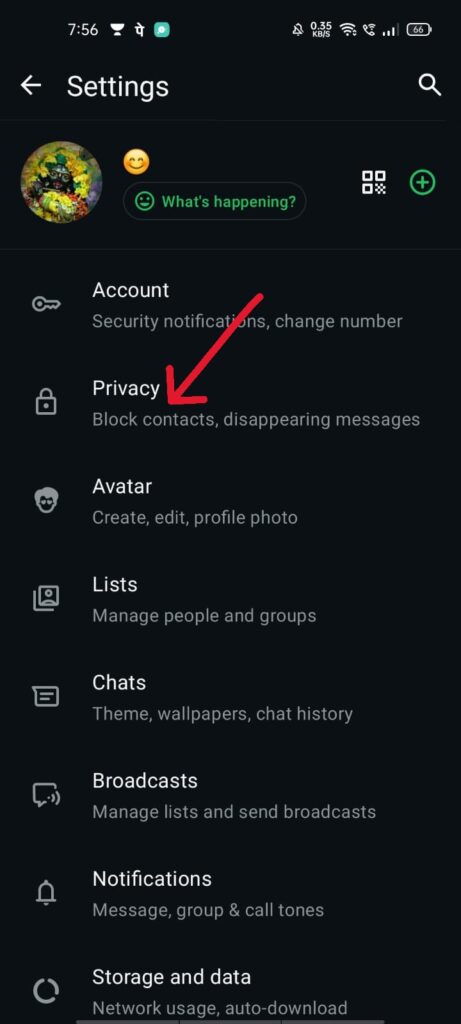
     4. Tap Privacy.

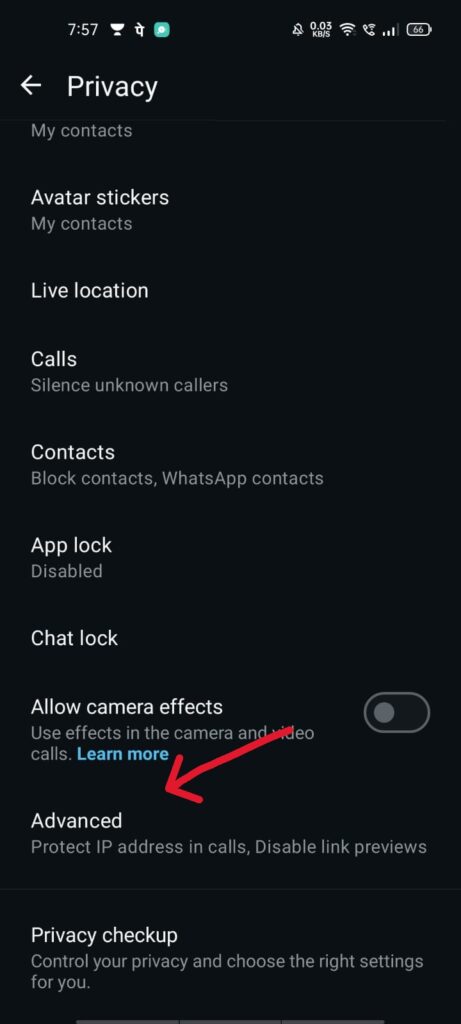
Hide IP address on WhatsApp calls using privacy settings

     5. Scroll down and choose Advanced.

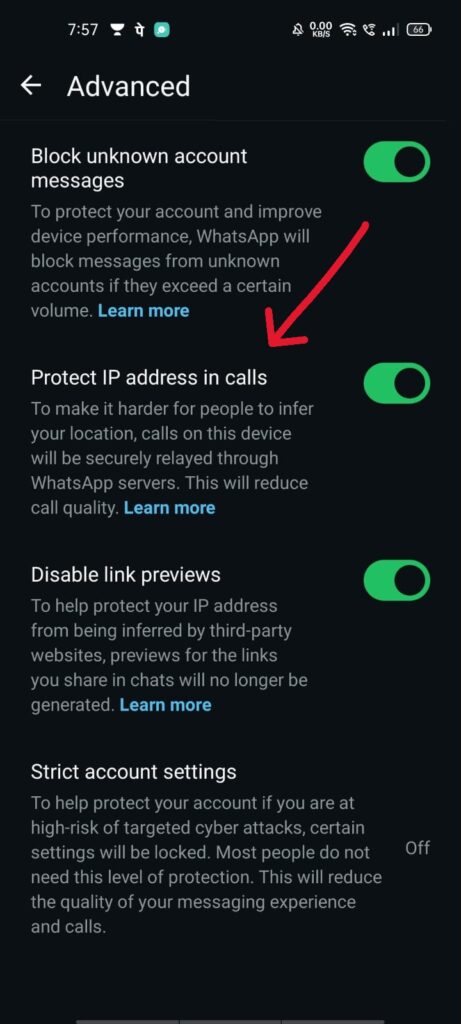
     6. Turn on Protect IP address in calls.

WhatsApp privacy feature to protect IP address during calls
Once enabled, your calls will be relayed through WhatsApp servers, helping you stay more private.

How to Hide IP Address on WhatsApp Calls (iPhone)

The process to hide IP address on WhatsApp calls is slightly different on iPhone:

     1. Open WhatsApp on your iPhone.

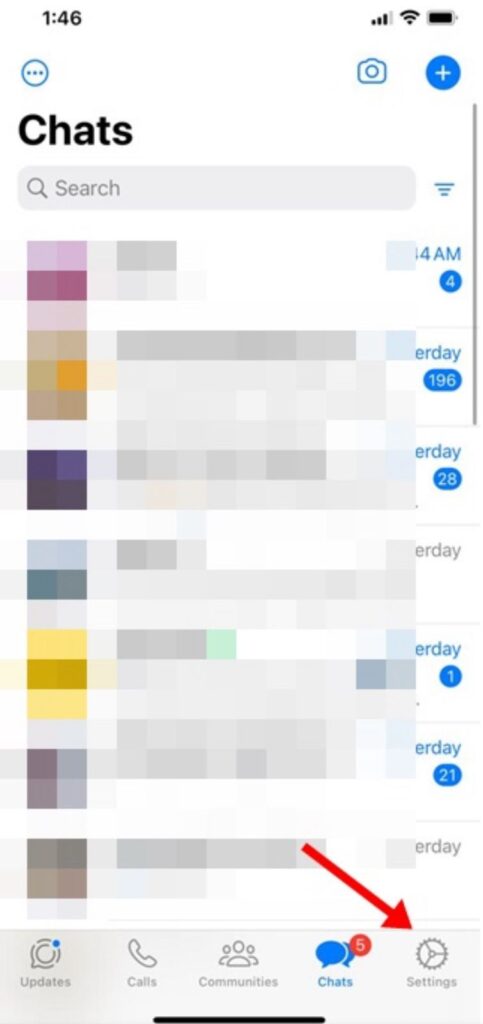
     2. Tap the Settings icon at the bottom.

WhatsApp call IP address protection feature enabled on smartphone

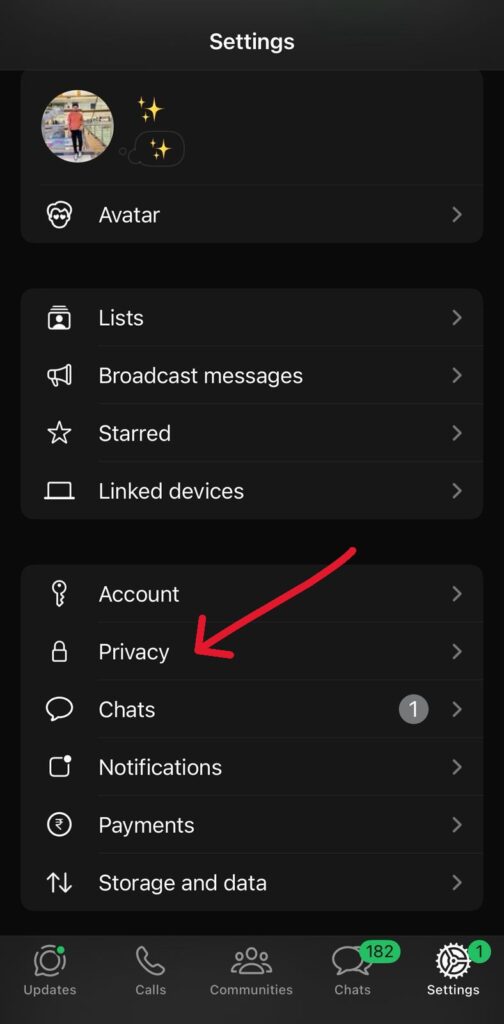
     3. Go to Privacy.  

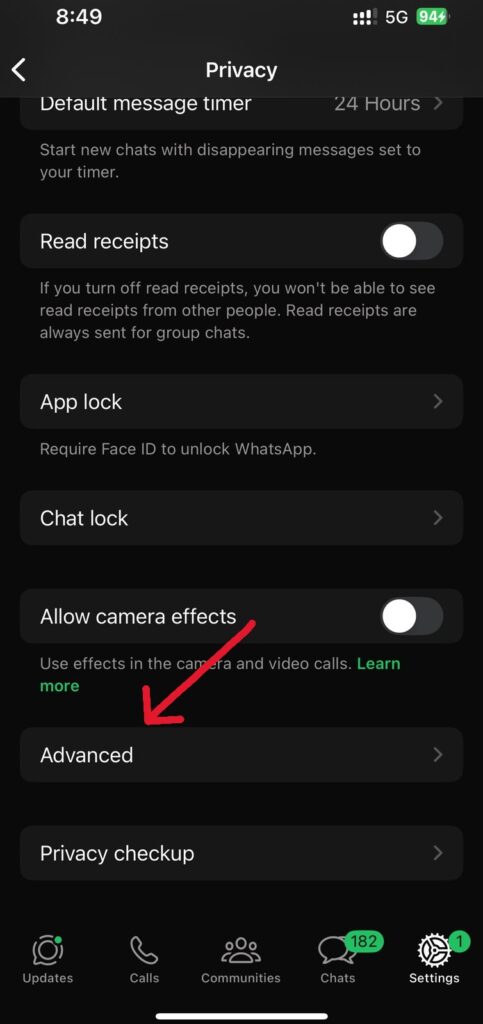
Hide IP address on WhatsApp calls using privacy settings

     4. Scroll down and tap Advanced.

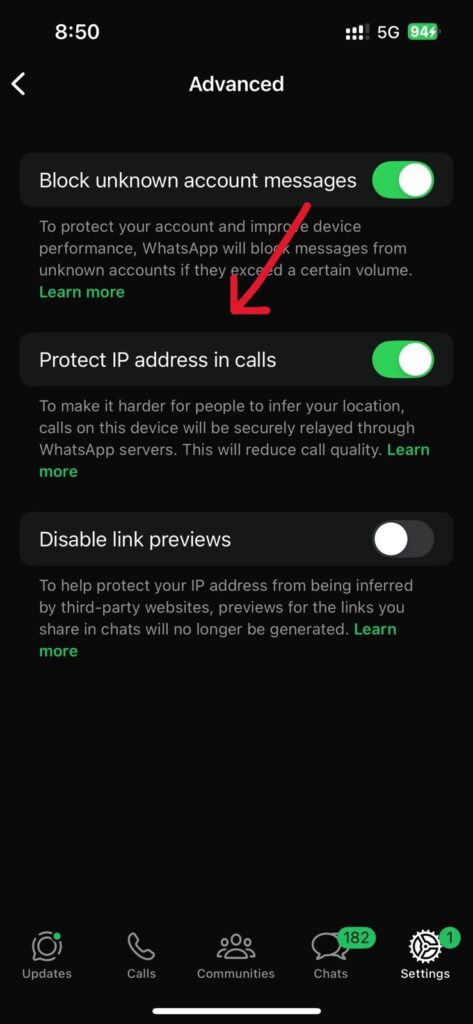
WhatsApp privacy feature to protect IP address during calls

     5.  Enable Protect IP address in calls.

Enable protect IP address in calls on WhatsApp app
That’s it! Your WhatsApp calls will now have an extra layer of privacy.

Why You Should Protect Your IP Address on WhatsApp

  • Prevents exposure of your real location
  • Improves privacy during calls with unknown contacts
  • Adds extra security beyond end-to-end encryption
  • Reduces the risk of tracking or network-based attacks
Using this feature is a simple but effective way to stay safer online

FAQs: Protect IP Address on WhatsApp Calls

❓ Does WhatsApp reveal my IP address during calls?
By default, WhatsApp calls may connect directly, which can expose your IP address. Enabling WhatsApp call IP address protection prevents this by routing calls through WhatsApp servers.

❓ Is protecting IP address on WhatsApp calls safe?
Yes, it’s a built-in WhatsApp privacy feature designed to improve security. It may slightly affect call quality, but it greatly enhances privacy.

❓ Can I hide my IP address on WhatsApp calls without a VPN?
Yes. WhatsApp now offers a native option to hide IP address on WhatsApp calls, so a VPN is not required.

❓ Does this feature work on both Android and iPhone?
Absolutely. You can protect IP address on WhatsApp on both Android and iPhone using the Advanced Privacy settings.

❓ Will enabling IP address protection affect call quality?
In some cases, call quality may be slightly reduced because calls are routed through WhatsApp servers, but the privacy benefits usually outweigh this minor drawback.

Final Words

Knowing how to protect IP address on WhatsApp calls is essential for anyone who values online privacy. Whether you’re on Android or iPhone, enabling this feature takes just a few seconds and adds an important security layer to your WhatsApp calls.
If you need help with more WhatsApp privacy tips or security guides, feel free to ask 😊

Scroll to Top